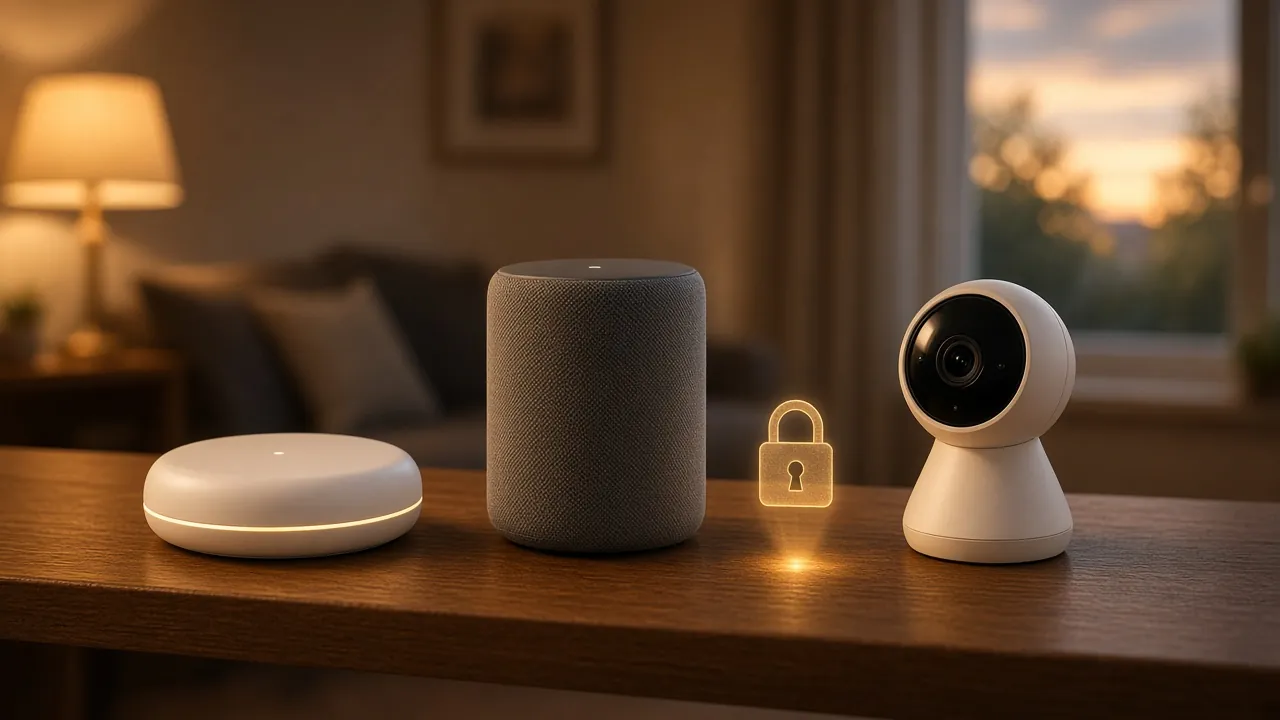
What the UK's PSTI smart device security law requires of manufacturers and retailers, what it doesn't cover, and the NCSC's steps for choosing, setting up, updating and getting rid of smart devices.
Smart speakers, video doorbells, baby monitors, thermostats and even kettles now connect to the internet. Each one is a small computer on your home network, and a poorly protected one can let a criminal spy on you or use the device to attack others. The UK now has a law setting minimum security standards for these products, but it only covers part of the problem. This guide explains what the law does and the steps you still need to take.
The law: PSTI in plain English
The Product Security and Telecommunications Infrastructure Act 2022 and its 2023 Regulations, usually shortened to PSTI, came into effect on 29 April 2024. They require manufacturers of consumer connectable products sold to UK consumers to meet three baseline security requirements:
- No universal default or easily guessable passwords. Each device must have a unique password or make you set your own.
- A published way to report security issues, so researchers and customers can tell the manufacturer about flaws.
- A published minimum security update period, telling you how long the product will receive security updates.
GOV.UK explains that these requirements are based on the top three principles of the UK's Code of Practice for Consumer IoT Security and align with the European standard ETSI EN 303 645.
What the password rule actually bans
The detailed requirements are set out in Schedule 1 of the 2023 Regulations. Passwords must be either unique to each product or defined by the user. A "unique" password must not be based on an incrementing counter, on publicly available information, or on product identifiers such as a serial number unless these are protected with accepted encryption, and it must not be otherwise guessable. In practice, that ends the days of every unit in a product line shipping with "admin" as its password.
Who has to comply
The duties fall on businesses in the supply chain. According to the GOV.UK guidance, that includes manufacturers, importers bringing products into the UK, and distributors (including retailers) making them available here. The Office for Product Safety and Standards enforces the regime.
What it doesn't cover
Some products sit outside the regime. GOV.UK lists exclusions including electric vehicle charge points, medical devices, smart meters, and desktop, laptop and tablet computers that can't connect to mobile networks (unless they are designed exclusively for children under 14). Certain vehicles were also exempted from February 2025 because they are covered by sector-specific rules.
Two other limits matter for households. The law applies to products made available from April 2024, so older devices already in your home were never covered. And it sets a floor, not a guarantee: a compliant device can still have bugs, and its update period will eventually end.
Before you buy
The NCSC's guidance on using smart devices safely at home suggests checking reviews of both the product and the manufacturer, and checking what you'll need to run it. Most devices need an internet connection, a smartphone or tablet, and an app or online account.
The most useful single check is the support period. The NCSC advises avoiding devices that are no longer supported, or whose support will end soon, and suggests treating the support date as a "use by" date. Out-of-support devices are easier to hack and may stop working altogether. Thanks to PSTI, the manufacturer now has to publish this period, so look for it on the product page, packaging or the maker's website before you buy.
A cheaper device isn't automatically less secure. The NCSC notes that you don't need the latest or most expensive device to be secure; what matters is that it is supported.
Setting it up
Some devices aren't fully secure when first switched on. The NCSC recommends these steps at set-up:
- Set a strong password. You should be asked to create one. If the device came with a default password, change it. Combining three random words is the NCSC's suggested way to make one that is strong and memorable.
- Turn on 2-step verification if the device or its app offers it. It makes it much harder for someone to get in even if they know your password. Our guide to passkeys and 2-step verification explains the options.
- Switch off remote access if you don't need to control the device when you're away from home.
- Protect the account behind it. Many devices are controlled through a cloud account. If that account uses a reused password, the device is only as safe as the weakest site you've used it on.
Keep it updated
Manufacturers release updates to fix security flaws. If those fixes aren't installed, the NCSC warns the device becomes easier to hack. For each device:
- turn on automatic updates if the option exists;
- install manual updates when the app prompts you;
- note the end of the support period, and plan to replace devices that handle sensitive things, such as cameras and door locks, once updates stop.
Your router matters too
Every smart device connects through your home router, so it is worth checking the router's admin password has been changed from any default, that its firmware is up to date and that your Wi-Fi uses a strong password. Many internet providers update routers automatically; check your provider's help pages if you're not sure.
If something goes wrong
If a device behaves oddly or you think someone has taken control of it, the NCSC suggests checking the manufacturer's website for advice and resetting the device using the manufacturer's instructions. After a reset, set it up again with a new password and change the password on the linked account. Our guide to the early warning signs of a breach covers what to do if you suspect a wider compromise.
Getting rid of a device
Before you sell, give away or recycle a smart device, do a factory reset. The NCSC explains this returns the device to its original settings and should remove your personal data. Also remove it from your account in the manufacturer's app, so the next owner can't be linked to you. The NCSC's guidance on buying and selling second-hand devices covers phones, tablets and computers in more detail.
Your rights if a device is faulty
The NCSC doesn't give consumer advice and points people to Citizens Advice and Which? instead. If a device stops working properly, your normal rights under consumer law apply; Citizens Advice is a useful starting point. You can also report suspected non-compliance with PSTI to the Office for Product Safety and Standards, whose contact details are on the GOV.UK guidance page.
Quick checklist
- Check the security update period before you buy.
- Set a strong, unique password at set-up; change any default.
- Turn on 2-step verification for the device's app or account.
- Turn off remote access you don't need.
- Switch on automatic updates.
- Factory-reset and unlink before passing a device on.
Frequently asked questions
When did the UK smart device security law come in?
The PSTI regime came into effect on 29 April 2024.
What does the PSTI law require?
It bans universal default and easily guessable passwords, and requires manufacturers to publish how to report security issues and the minimum period for which a device will receive security updates.
Does the law cover laptops and smart meters?
No. Smart meters, medical devices, EV charge points, and desktop, laptop and tablet computers without mobile network connectivity are excluded, unless the computer is designed exclusively for children under 14.
What should I do before selling a smart device?
Do a factory reset to return it to its original settings and remove your personal data, and remove it from your account in the manufacturer's app.
Should I avoid devices whose support is ending?
Yes. The NCSC advises avoiding devices that are out of support or whose support will end soon, because they become easier to hack and may stop working.
Sources and further reading
- GOV.UK: Regulations: consumer connectable product security
- legislation.gov.uk: PSTI (Security Requirements for Relevant Connectable Products) Regulations 2023, Schedule 1
- NCSC: Smart devices: using them safely in your home
- NCSC: Smart devices: new law helps citizens to choose secure products
- NCSC: Buying and selling second-hand devices
Facts and links checked on 21 October 2026. Spotted an error? Tell us and we will correct it.